- Given a key value pairs of properties in java.
- We would like to create or write or dump java properties to the property file
- We will use Properties class to set properties file.
- Procedure to dump properties to property file in java.
- Set properties using Properties class.
- properties.setProperty(“user.name”, “admin”);
- properties.setProperty(“user.age”, “25”);
- We will use store method of the Properties class, to write properties object to a file.
1. Class hierarchy of Properties class in java:
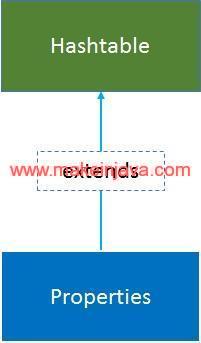 Fig 1: Properties class
2. Program – write or create property file in java (example)
package org.learn;

import java.io.File;
import java.io.FileOutputStream;
import java.io.IOException;
import java.util.Properties;

public class PropertyWriter {

    public static void main(String[] args) {
        writeProperties();
    }

    private static void writeProperties() {
        FileOutputStream fileOutputStream = null;
        String fileName = "output.properties";
        try {
            Properties properties = new Properties();
            properties.setProperty("user.name", "admin");
            properties.setProperty("user.age", "25");
            properties.setProperty("user.country", "USA");
            properties.setProperty("user.email", "xyz@test.com");

            System.out.println("1. Start writing properties to Property file");
            File writeFile = new File("output.properties");
            fileOutputStream = new FileOutputStream(writeFile);
            properties.store(fileOutputStream, "Creating new property file");

            System.out.println("2. Writing properties to Property file : " + properties.toString());
            System.out.printf("3. Successfully written properties to file = %s", fileName);
        } catch (IOException e) {
            e.printStackTrace();
        } finally {
            if (fileOutputStream != null) {
                try {
                    fileOutputStream.close();
                } catch (IOException e) {
                    e.printStackTrace();
                }
            }
        }
    }
}
3. Property file in generated in work-space directory
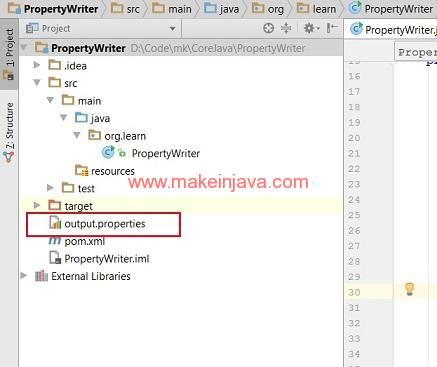 Fig 2: Written property file in java4
4. Output – write or create property file in java (example)
1. Start writing properties to Property file
2. Writing properties to Property file : {user.name=admin, user.country=USA, user.age=25, user.email=xyz@test.com}
3. Successfully written properties to file = output.properties
